

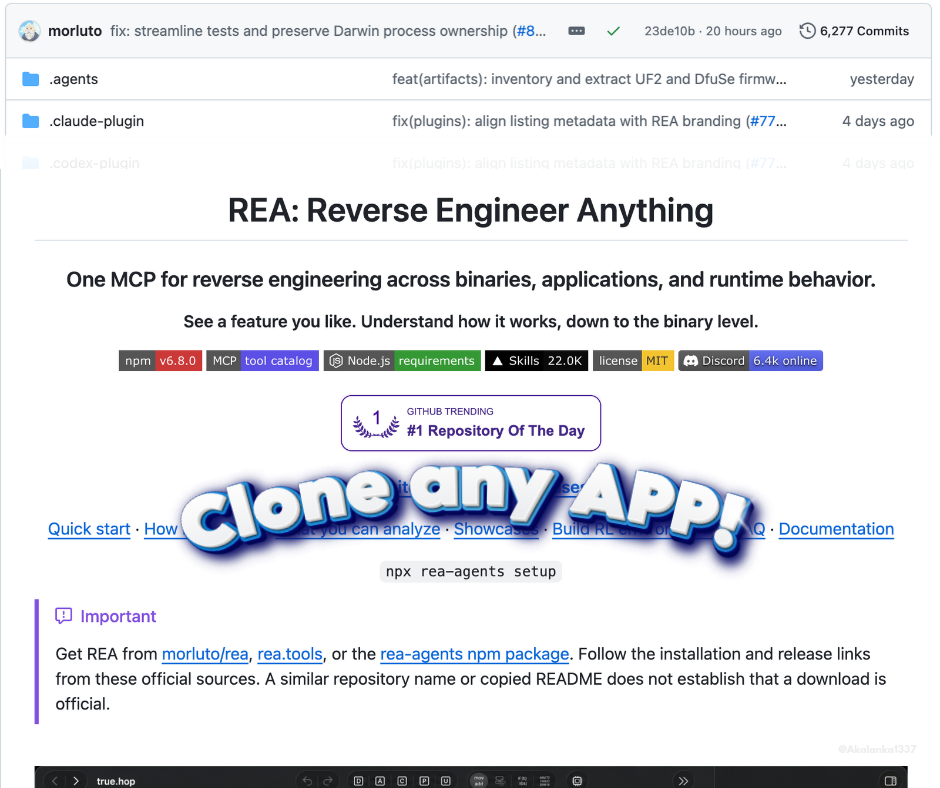
I came across an interesting open-source project called REA (Reverse Engineer Anything), and after going through its repository and documentation, I think it's worth exploring.
GitHub: https://github.com/morluto/rea
What exactly is REA?
REA is an open-source reverse-engineering toolkit that connects to AI coding agents through MCP (Model Context Protocol).Instead of asking an AI agent to guess how another application works from screenshots, you can give it access to REA and ask it to investigate the actual software.
It can inspect application structures, trace functions, analyse JavaScript and Electron applications, examine native binaries, investigate Android APKs, observe runtime behaviour and much more.
The interesting part is that REA returns technical findings with supporting evidence and limitations. Your AI agent can use those findings to understand the application and implement similar functionality in your own project.
How does it work?
The workflow is fairly straightforward:- Install REA: Make sure Node.js and npm are installed, then run the setup command.
- Connect your AI agent: REA supports coding agents such as Claude Code, Codex, Cursor, Gemini CLI and others.
- Give it an investigation task: Tell your agent which application and feature you want to understand.
- REA investigates: The agent uses REA's MCP tools to inspect the target, trace relevant code and collect evidence.
- Build your implementation: The agent uses its findings to help implement and test an equivalent feature in your own codebase.
Installation
Open your terminal and run:
Code:
npx rea-agents setupChoose your coding agent, review the configuration changes and approve them. Restart your agent after setup.
Official installation guide: https://rea.tools/guides/
Let's take PhotoCraft as an example
One interesting project worth examining is PhotoCraft, an open-source, clean-room reimplementation of Adobe Photoshop, written entirely in Rust.GitHub: https://github.com/photocraft-desktop/photocraft
Website: https://photocraft.one/
It includes features such as:
- Layers and masks
- Adjustment layers
- Brushes and selection tools
- Typography and vector tools
- Layer styles and blending modes
- PSD and PSB file support
You can even explore its browser-based editor here:
https://photocraft.one/app/
An experiment I'd try with REA:
Give your coding agent access to a legally obtained application or build of PhotoCraft and ask it:
Investigate how PhotoCraft handles its layer
system and adjustment layers.
Identify the relevant modules, functions,
data structures and command flow.
Explain how layer operations work, how
adjustments are applied, and how the
application manages non-destructive editing.
Show the evidence for your findings and
help me implement an equivalent system
using TypeScript and React.
This is an example of how I'd use REA to investigate a specific feature. PhotoCraft is a separate project, not an application built using REA.
What else can you investigate?
REA isn't limited to image editors. Depending on the target and the required analysis tools, it supports a much wider range of software and technical formats:- JavaScript and Electron applications
- Native Windows, Linux and macOS binaries
- Android APKs and Android applications
- .NET assemblies
- Flutter applications
- WebAssembly
- SQLite databases
- Firmware and network captures
- Go and Rust binaries
A few things worth remembering
REA isn't a magic button that instantly recreates Photoshop or After Effects. It helps your AI agent understand the software being investigated. You still need to plan the architecture, write code, implement the UI, test functionality and refine the result.Also, understanding how an application works doesn't give you permission to copy its proprietary source code, assets or protected functionality. Only investigate software you're legally allowed to examine, and build independent implementations.
Useful links
- REA GitHub: https://github.com/morluto/rea
- REA Official Website: https://rea.tools/
- REA Installation Guide: https://rea.tools/guides/
- REA npm Package: https://www.npmjs.com/package/rea-agents
- PhotoCraft GitHub: https://github.com/photocraft-desktop/photocraft
- PhotoCraft Website: https://photocraft.one/
- PhotoCraft Browser Editor: https://photocraft.one/app/
I'm particularly interested in the combination of reverse-engineering tools and AI coding agents. Instead of spending hours guessing how an existing feature might be implemented, we can give an agent a way to investigate the underlying implementation and use the findings as a starting point.
I suspect this kind of workflow will become increasingly useful as AI-assisted software development gets more capable.