

Some short-video problems have nothing to do with the prompt. The wrong number of images for the mode, an audio clip that runs too long, an aspect ratio the mode does not offer: each of these can be spotted from the files alone, before you submit anything or spend credits on a job that cannot work as planned.
This post walks through the input rules listed on the Vidu Q4 page on viduai.co, explains when each mode makes sense, and shares a small Python script that checks a batch of planned jobs against those rules. The script only reads local files; it does not call any API.
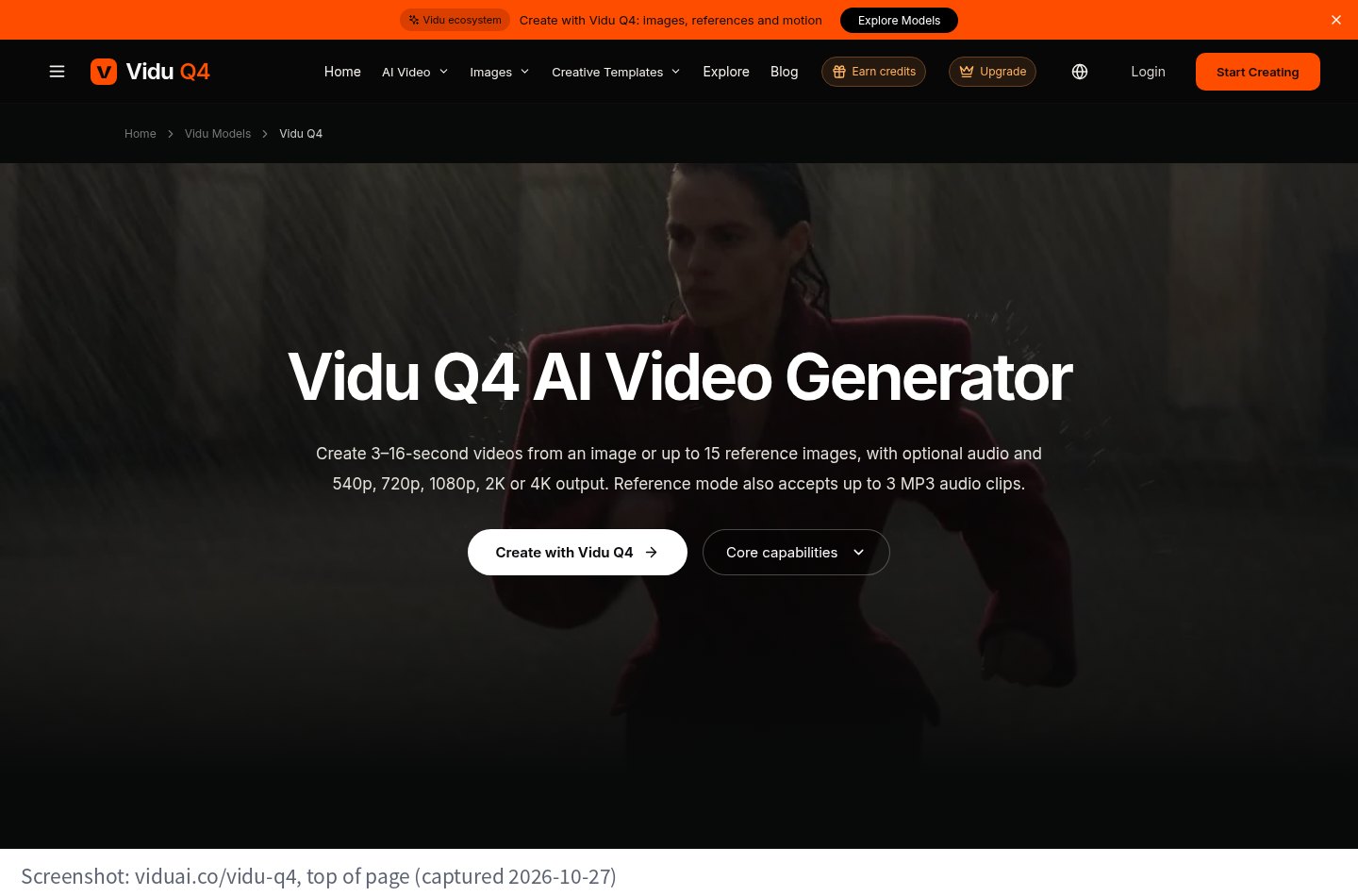
viduai.co/vidu-q4, top of page (captured 2026-10-27)
The page describes Vidu Q4 as a tool for creating 3–16-second videos from a first image or from up to 15 reference images, with optional generated audio. Reference mode also accepts up to three MP3 audio clips. Durations are whole seconds, and the page lists five resolution tiers starting at 540p.
It frames three ways in: a written idea (text to video), an opening photo (image to video), and character and scene images (reference to video). The two image-based modes behave differently, and that is where most input mistakes happen.
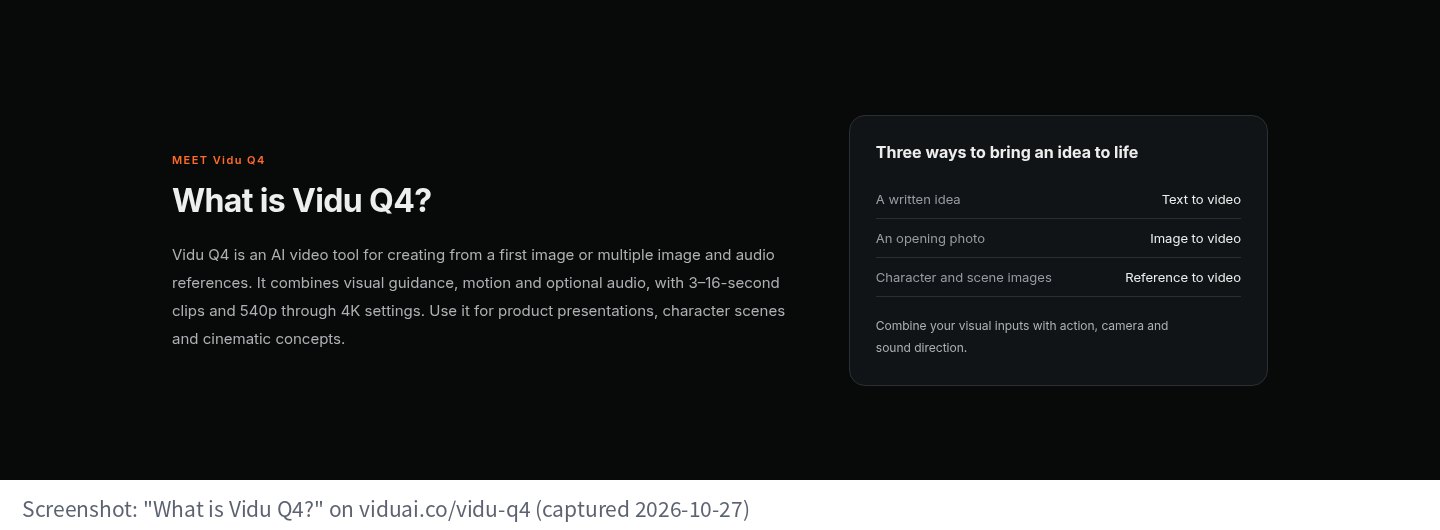
The "What is Vidu Q4?" section on the same page (captured 2026-10-27)
The page's FAQ is specific about the difference:
The reference-to-video page adds one more point worth remembering: reference images guide the subjects and setting, but they do not become the first frame. If a specific picture must open the shot, use image mode.
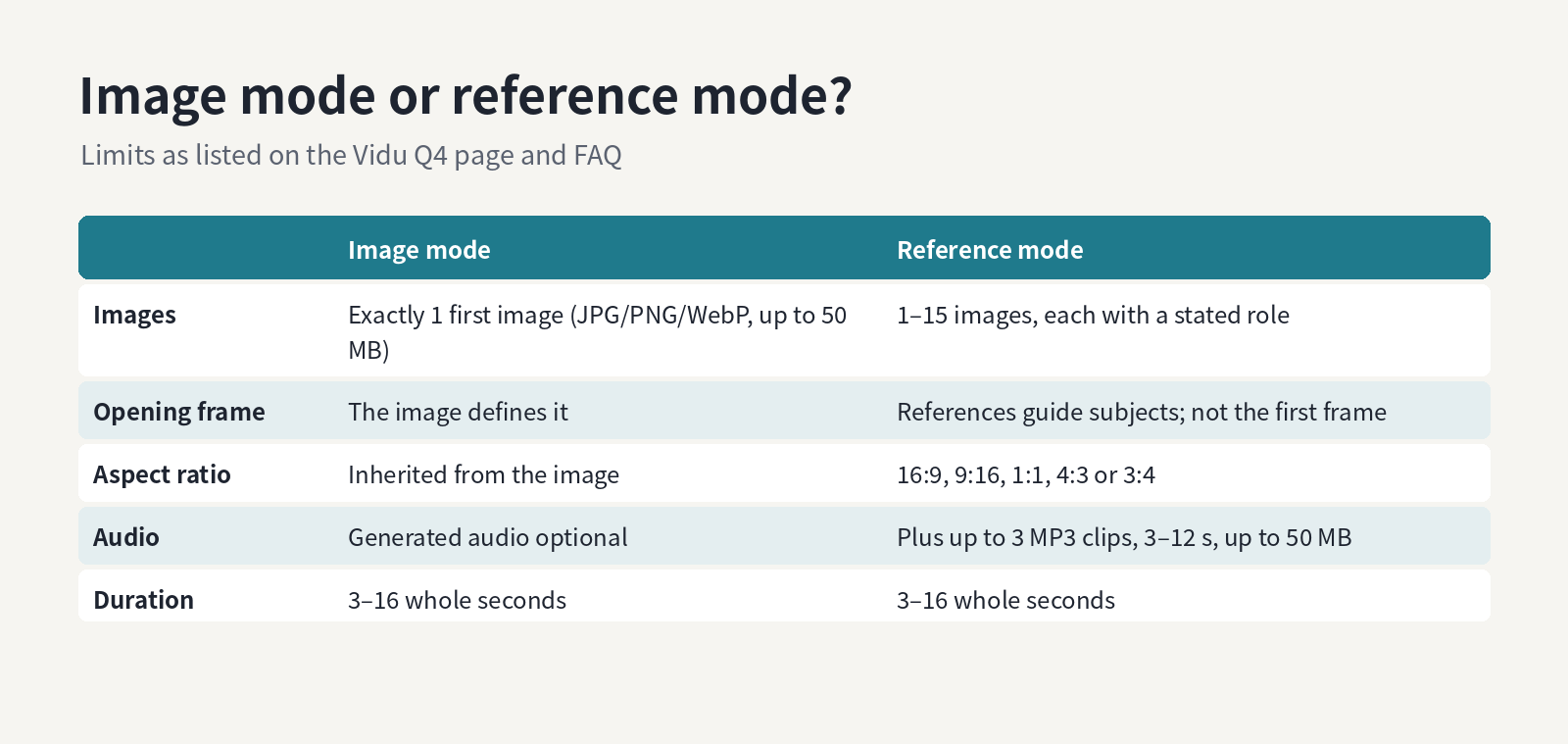
Choosing a mode from what you have and what the opening frame must be (diagram made for this post)
The plan is a JSON list of jobs. Each job has a name, a mode, a duration, the image files, and in reference mode an aspect ratio and optional audio files. The script checks each job and prints PASS or FAIL with reasons.
A few design choices:
Here is the plan I used to exercise the checks. The image files are flat grey placeholders made with Pillow, and the two MP3s are sine tones generated with FFmpeg (6 seconds and 20 seconds).
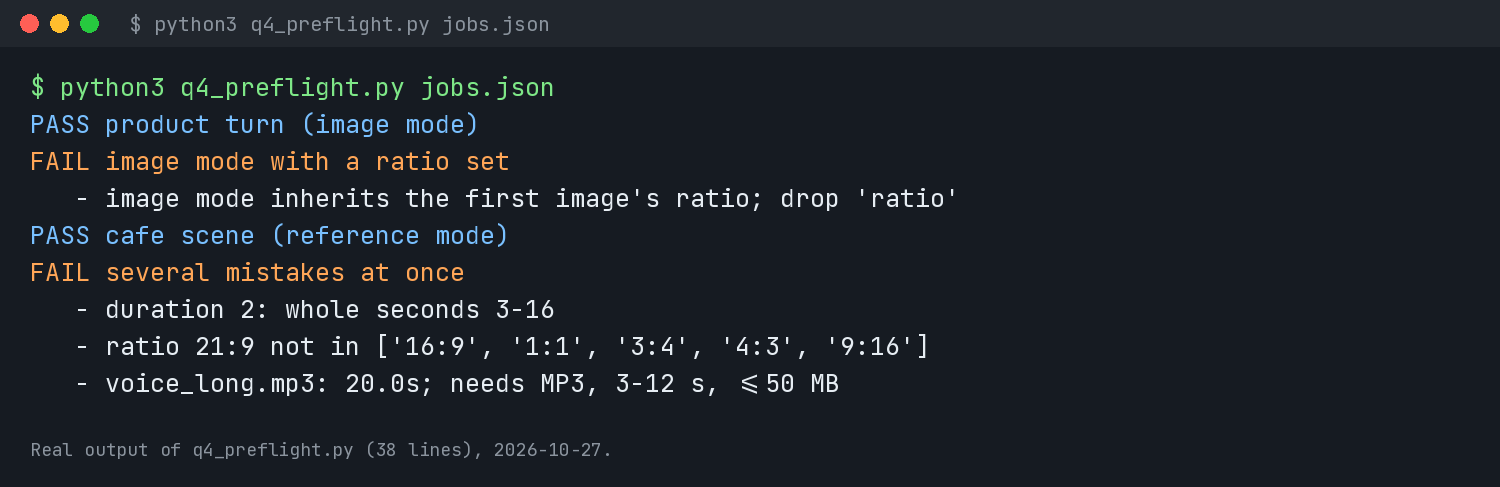
Real output of q4_preflight.py on jobs.json, 2026-10-27
The second job fails because it sets a ratio in image mode. The last job collects three problems at once: a 2-second duration, a 21:9 ratio that reference mode does not list, and a 20-second voice clip where the limit is 12.
The page also compares Q4 with Vidu Q3. Q3 is listed with 4–15-second clips at 480p or 720p, up to nine reference images, and an optional last frame in its image workflow. If your plan depends on a fixed end frame, that row of the comparison is the one to read before choosing a model, because Q4's image mode has no end-frame input.
Clean inputs are only half the job. The page's own guidance for prompts is to describe the subject, materials, light, action and camera together, and to pair one main subject action with one camera move so the shot stays readable. In reference mode, say which image is which.
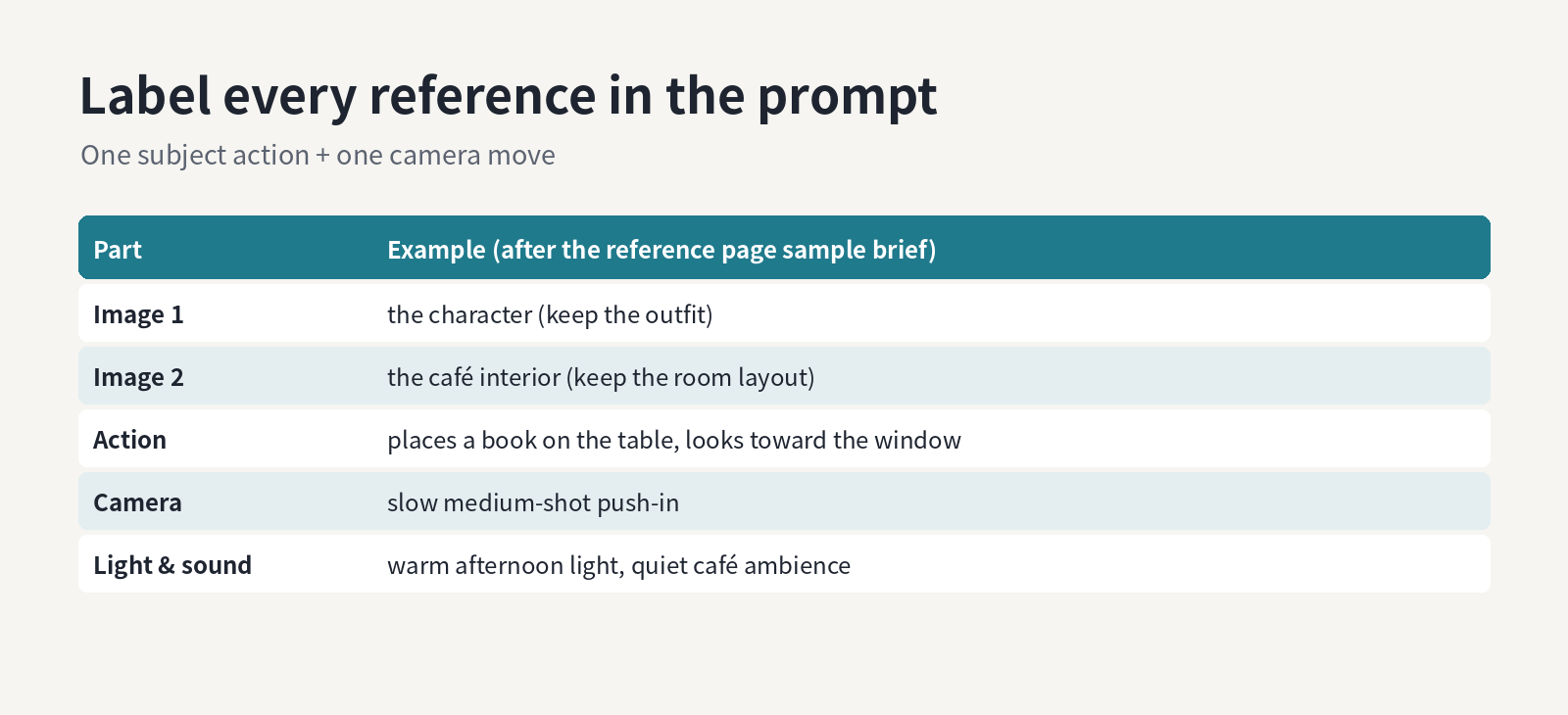
Labelling each reference in the prompt (structure made for this post; the café example follows the reference page's sample brief)
The reference page's sample brief is a good template: image 1 for the character, image 2 for the café interior, one action (placing a book on the table and looking toward the window), one camera move (a slow medium-shot push-in), warm afternoon light and quiet café ambience.
The page is honest that generated scenes can change faces, hands, lettering and geometry, and that shared references do not guarantee identical details across clips. A passing pre-flight only means the job is valid. Review each result, and keep exact labels and promotional text for your editor rather than the generation.
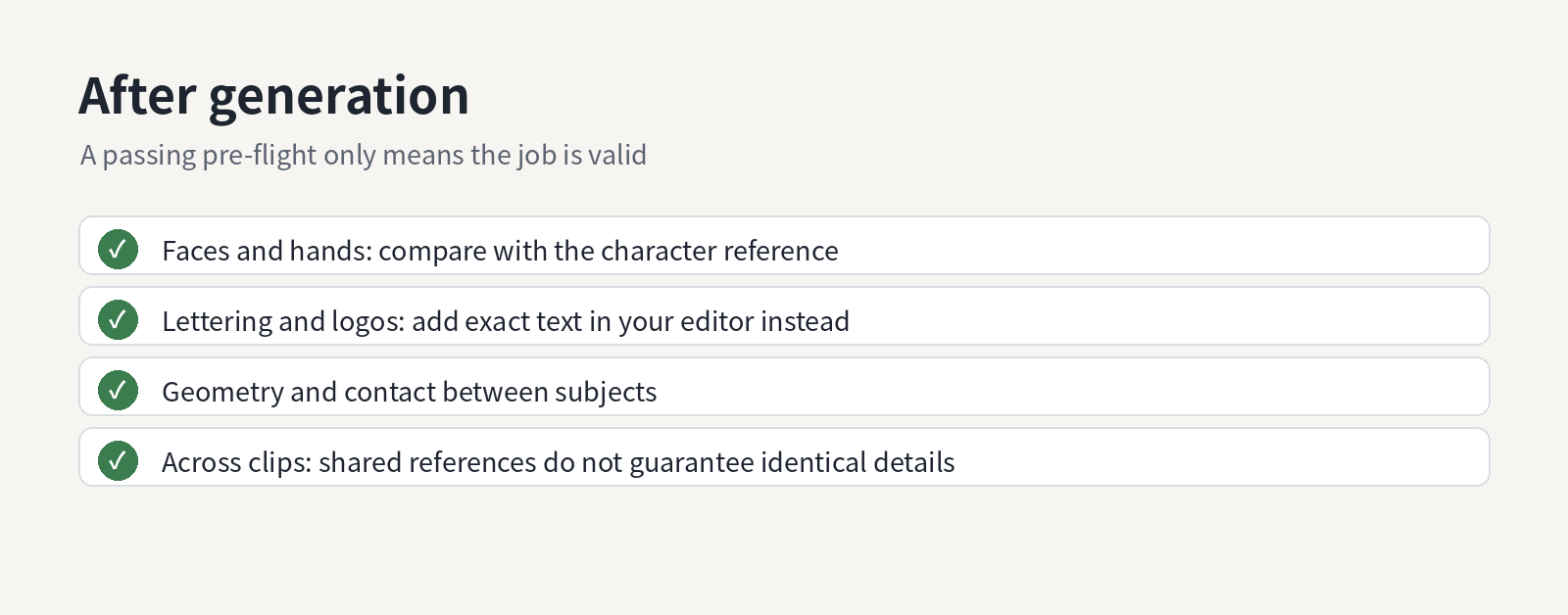
What to check after generation (list made for this post, based on the page's cautions)
If you plan several shots for one edit, put them all in one JSON file and run the check before a session. It takes a second and saves a round trip for every job that would have failed.
This post walks through the input rules listed on the Vidu Q4 page on viduai.co, explains when each mode makes sense, and shares a small Python script that checks a batch of planned jobs against those rules. The script only reads local files; it does not call any API.
viduai.co/vidu-q4, top of page (captured 2026-10-27)
What the page says Vidu Q4 does
The page describes Vidu Q4 as a tool for creating 3–16-second videos from a first image or from up to 15 reference images, with optional generated audio. Reference mode also accepts up to three MP3 audio clips. Durations are whole seconds, and the page lists five resolution tiers starting at 540p.
It frames three ways in: a written idea (text to video), an opening photo (image to video), and character and scene images (reference to video). The two image-based modes behave differently, and that is where most input mistakes happen.
The "What is Vidu Q4?" section on the same page (captured 2026-10-27)
Image mode vs reference mode
The page's FAQ is specific about the difference:
- Image mode takes one JPG, PNG or WebP up to 50 MB. A motion prompt is optional. The output follows the first image's aspect ratio, and there is no separate end-frame input.
- Reference mode takes up to fifteen images. The FAQ suggests using distinct images for the character, object or location and explaining the role of each one in the prompt. You pick the aspect ratio yourself from 16:9, 9:16, 1:1, 4:3 and 3:4. Audio references must be MP3, 3–12 seconds each, no more than 50 MB, and at most three.
The reference-to-video page adds one more point worth remembering: reference images guide the subjects and setting, but they do not become the first frame. If a specific picture must open the shot, use image mode.
Choosing a mode from what you have and what the opening frame must be (diagram made for this post)
The script
The plan is a JSON list of jobs. Each job has a name, a mode, a duration, the image files, and in reference mode an aspect ratio and optional audio files. The script checks each job and prints PASS or FAIL with reasons.
Python:
"""Pre-flight check for a Vidu Q4 job plan (limits as listed on viduai.co/vidu-q4)."""
import json, os, subprocess, sys
IMG = {".jpg", ".jpeg", ".png", ".webp"}
RATIOS = {"16:9", "9:16", "1:1", "4:3", "3:4"}           # reference mode only
MB = lambda p: os.path.getsize(p) / 2**20

def secs(p):
    out = subprocess.run(["ffprobe", "-v", "error", "-show_entries", "format=duration",
                          "-of", "csv=p=0", p], capture_output=True, text=True).stdout
    return float(out.strip())

def check(job):
    errs, mode = [], job["mode"]
    d = job["duration"]
    if not (isinstance(d, int) and 3 <= d <= 16): errs.append(f"duration {d}: whole seconds 3-16")
    imgs = job.get("images", [])
    if mode == "image":
        if len(imgs) != 1: errs.append(f"image mode takes exactly 1 first image, got {len(imgs)}")
        if job.get("ratio"): errs.append("image mode inherits the first image's ratio; drop 'ratio'")
        if job.get("audio"): errs.append("audio references are a reference-mode input")
    else:
        if not 1 <= len(imgs) <= 15: errs.append(f"reference mode takes 1-15 images, got {len(imgs)}")
        if job.get("ratio") not in RATIOS: errs.append(f"ratio {job.get('ratio')} not in {sorted(RATIOS)}")
        aud = job.get("audio", [])
        if len(aud) > 3: errs.append(f"{len(aud)} audio clips; max 3")
        for a in aud:
            s = secs(a)
            if not (a.endswith(".mp3") and 3 <= s <= 12 and MB(a) <= 50):
                errs.append(f"{a}: {s:.1f}s; needs MP3, 3-12 s, <=50 MB")
    for p in imgs:
        if os.path.splitext(p)[1].lower() not in IMG or MB(p) > 50:
            errs.append(f"{p}: JPG/PNG/WebP up to 50 MB")
    return errs

for job in json.load(open(sys.argv[1])):
    e = check(job)
    print(("PASS " if not e else "FAIL ") + job["name"])
    for x in e: print("   -", x)
A few design choices:
- Durations must be Python
ints between 3 and 16, because the page lists whole seconds only. - Image mode rejects a
ratiokey on purpose. Since the output inherits the first image's shape, setting a ratio usually means the planner expected something the mode will not do. Crop the image instead. - Audio durations come from
ffprobe, so you need FFmpeg installed.
Running it
Here is the plan I used to exercise the checks. The image files are flat grey placeholders made with Pillow, and the two MP3s are sine tones generated with FFmpeg (6 seconds and 20 seconds).
JSON:
[
 {"name": "product turn (image mode)", "mode": "image", "duration": 6, "images": ["jacket.jpg"]},
 {"name": "image mode with a ratio set", "mode": "image", "duration": 8, "images": ["jacket.jpg"], "ratio": "9:16"},
 {"name": "cafe scene (reference mode)", "mode": "reference", "duration": 10, "ratio": "16:9",
  "images": ["hero.png", "street.webp", "dog.png"], "audio": ["ambience.mp3"]},
 {"name": "several mistakes at once", "mode": "reference", "duration": 2, "ratio": "21:9",
  "images": ["hero.png"], "audio": ["voice_long.mp3"]}
]
Real output of q4_preflight.py on jobs.json, 2026-10-27
The second job fails because it sets a ratio in image mode. The last job collects three problems at once: a 2-second duration, a 21:9 ratio that reference mode does not list, and a 20-second voice clip where the limit is 12.
Where the Q3 comparison fits
The page also compares Q4 with Vidu Q3. Q3 is listed with 4–15-second clips at 480p or 720p, up to nine reference images, and an optional last frame in its image workflow. If your plan depends on a fixed end frame, that row of the comparison is the one to read before choosing a model, because Q4's image mode has no end-frame input.
Writing the prompt once the inputs pass
Clean inputs are only half the job. The page's own guidance for prompts is to describe the subject, materials, light, action and camera together, and to pair one main subject action with one camera move so the shot stays readable. In reference mode, say which image is which.
Labelling each reference in the prompt (structure made for this post; the café example follows the reference page's sample brief)
The reference page's sample brief is a good template: image 1 for the character, image 2 for the café interior, one action (placing a book on the table and looking toward the window), one camera move (a slow medium-shot push-in), warm afternoon light and quiet café ambience.
What the checks cannot catch
The page is honest that generated scenes can change faces, hands, lettering and geometry, and that shared references do not guarantee identical details across clips. A passing pre-flight only means the job is valid. Review each result, and keep exact labels and promotional text for your editor rather than the generation.
What to check after generation (list made for this post, based on the page's cautions)
If you plan several shots for one edit, put them all in one JSON file and run the check before a session. It takes a second and saves a round trip for every job that would have failed.